SimCom X Pilot Client
Realistic multiplayer radio for your flight simulator.
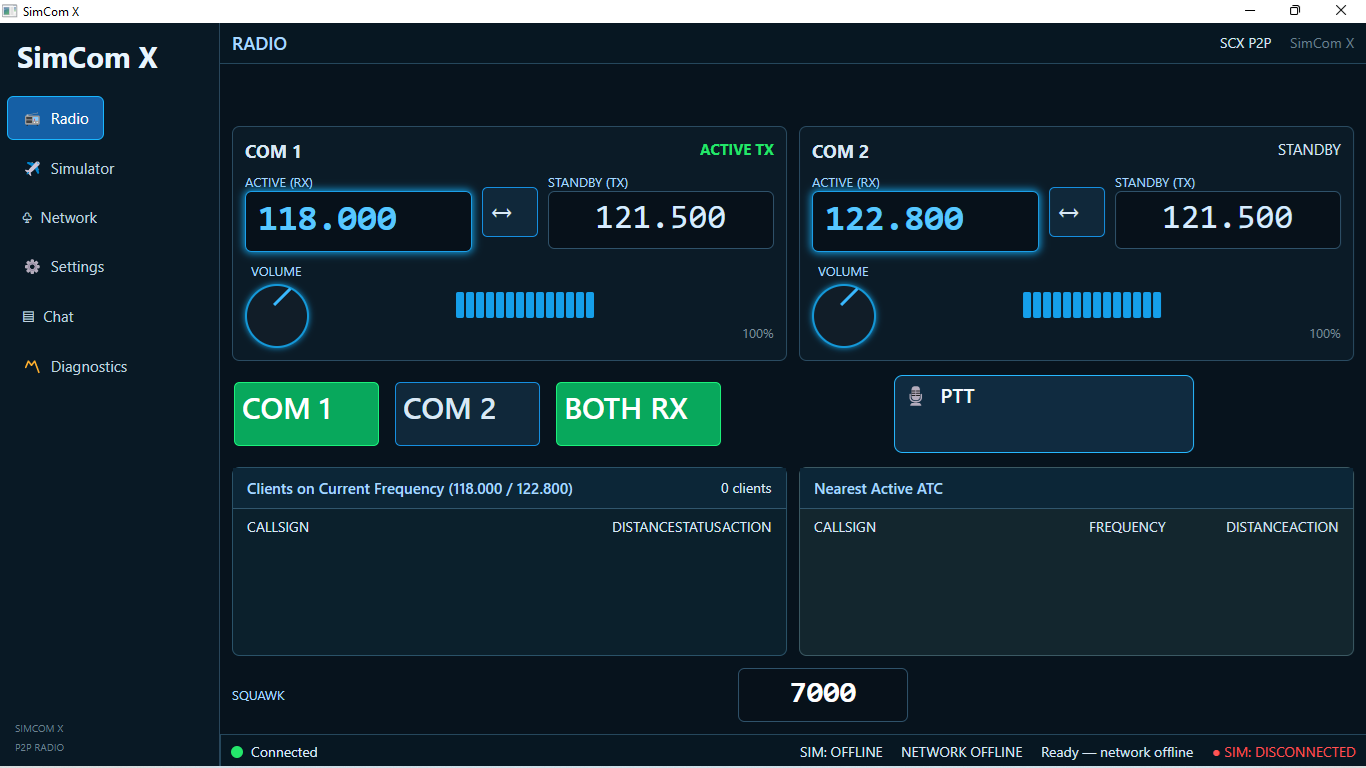
SimCom X Pilot is a standalone voice client for flight simulation. It connects pilots with other users and ATC while using your simulator radio stack to make frequency changes feel natural.
Private Group Server – included with the Pilot client
The SimCom X Group Server is packaged with the Pilot client download. It lets a community, event or flying group run a private communications environment rather than using the public SimCom X network.
- Choose a host computer. Install or extract the Pilot client package and locate the included Group Server application. Run it on a computer that can remain available to the group.
- Set the server endpoint. Use the listening UDP port configured by the Group Server. Give participants the host’s LAN address for a local network, or its public hostname/IP for remote users.
- Allow network traffic. Permit the configured UDP port through the host firewall. If people will connect over the internet, configure the router to forward that UDP port to the server computer.
- Configure each client. In SimCom X Pilot and/or the VCCS Network settings, select Group mode and enter the same Group Server IP/host and UDP port.
- Connect and verify. Start the server before clients connect. Everyone in the private group must use the same server address and port; confirm that users appear in the client directory or connected-user panels.
The Group Server’s configured listening port is authoritative; do not assume a port number. Share the endpoint only with the intended group and check firewall/router rules if remote clients cannot connect.
Features
- Direct peer-to-peer Opus voice with frequency-aware radio routing.
- Automatic frequency switching from the simulator radio stack.
- Distance and altitude-aware receive attenuation and civil-VHF radio processing.
- Configurable keyboard, HID and simulator PTT support.
- Selectable microphone/output devices, simulated VHF noise and SimCom X or Group networking.
Simulator support
SimCom X supports the simulator environments covered by the existing client, including Microsoft Flight Simulator 2024 and 2020, X-Plane, FSX, Prepar3D (P3D) and FlightGear.
UIPC is supported for additional simulators where a compatible UIPC interface is available. The simulator and interface software must be installed and configured separately.
Simulator connection requirements
Depending on your simulator, SimCom X may use SimConnect, FSUIPC or XPUIPC to read simulator radio and aircraft data.
Windows / MSFS / FSX / P3D
Use the appropriate SimConnect installation for your simulator. Legacy SimConnect information is available through the links retained from the original documentation.
Legacy SimConnect information is no longer maintained here.
FS9 / X-Plane
Depending on the simulator setup, FSUIPC or XPUIPC may be required.